7 Best Fixes for CNC Spindle Overheating During Long Runs?

Time:2026-09-16 Author:Sienna
0%

When a CNC spindle runs for hours, heat can build quietly inside the bearings, motor, housing, and tool interface. The first clue may be a warm nose, changing surface finish, rising vibration, or an unexpected alarm. So, why is my cnc spindle overheating during long runs? The answer is rarely one dramatic failure. It is often a chain involving excessive speed, incorrect preload, poor lubrication, blocked cooling, unbalanced tooling, or aggressive cutting conditions.

The U.S. Department of Energy’s 2021 Industrial Motor-Driven Systems Market Assessment reports that motor-driven equipment consumes about 70% of industrial electricity. That figure shows why efficient thermal control matters beyond one machine. SKF’s Bearing Damage and Failure Analysis guidance also identifies inadequate lubrication, contamination, incorrect mounting, and excessive loads as recurring bearing risks. These factors become more serious during continuous production, when a spindle has little time to cool.

Machining researcher Dr. Scott Smith describes the spindle as “the heart of the machine tool.” That practical observation explains why overheating deserves more than a quick reset. A temperature alarm is not a diagnosis. It is a warning that requires evidence.

This guide presents seven practical fixes for CNC spindle overheating during long runs. Each fix connects symptoms with measurable checks, including infrared temperature readings, coolant flow, vibration trends, tool balance, and cutting-load data. Some causes overlap. That is where troubleshooting becomes imperfect. Even experienced teams can replace a bearing when the real problem is excessive radial load or restricted cooling. A careful, step-by-step inspection can prevent repeated downtime, protect spindle accuracy, and extend expensive component life.
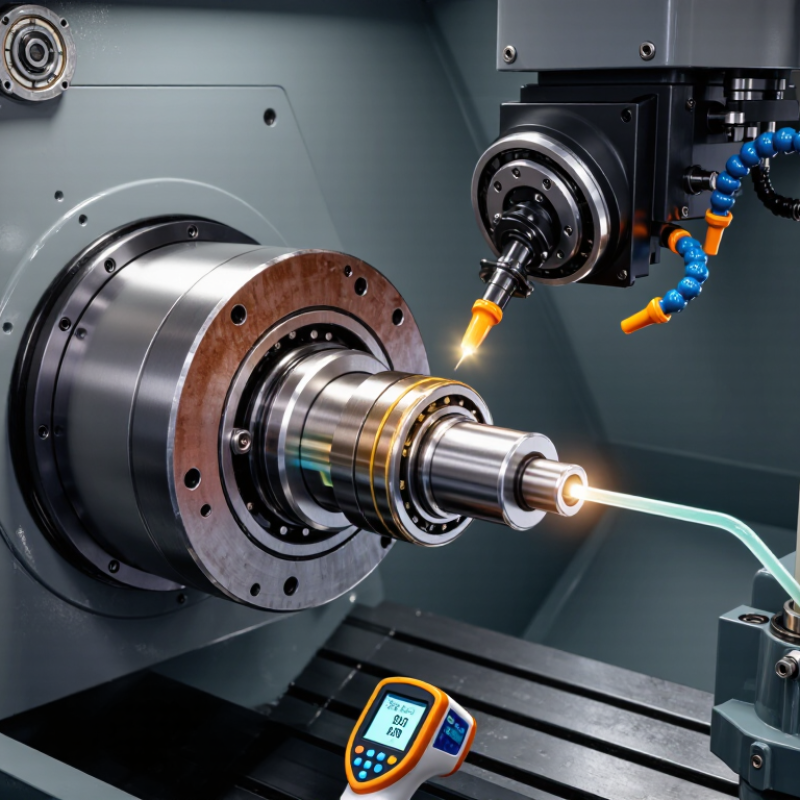
7 Best Fixes for CNC Spindle Overheating During Long Runs?

Identify the Main Causes of CNC Spindle Overheating

7 Best Fixes for CNC Spindle Overheating During Long Runs

Identify the Main Causes of CNC Spindle Overheating

During long CNC runs, spindle overheating rarely comes from one fault. The real cause is often a chain of small problems. Excessive cutting load raises motor current and creates heat inside the spindle. A dull tool, excessive radial engagement, or an aggressive feed can trigger this condition. Heavy workpieces may add mechanical stress. Watch the load meter and listen for pitch changes. Heat builds quietly.

Cooling failure is another common cause. Check coolant flow, fan operation, filters, and blocked air passages before changing settings. A clogged radiator or low coolant level can make a healthy spindle appear defective. Lubrication matters too. Insufficient grease, contaminated oil, or incorrect intervals increase bearing friction. I have seen operators blame the drive when a dirty filter caused the problem. That mistake wastes hours.

Alignment and toolholding deserve equal attention. Poor runout forces the spindle to work unevenly, especially at high speed. Vibration, warm bearing housings, and tapered tool marks provide useful clues. Electrical imbalance, loose connections, and unstable voltage can also cause abnormal heating. Measure housing temperatures and record ambient conditions across identical cycles. Do not trust one sensor alone. Reduce speed or load temporarily, then inspect the machine systematically. Some troubleshooting decisions will be wrong; documented evidence helps correct them.

Improve Spindle Cooling and Clear Blocked Airflow Paths

Improve Spindle Cooling and Clear Blocked Airflow Paths

Spindle overheating often begins with restricted airflow, not an immediate mechanical failure. During long runs, chips and fine dust can cover intake vents, fan guards, and cooling channels. Heat builds quietly. A hot, slow-moving spindle deserves attention before an alarm appears.

Power down the machine and inspect every airflow path with a bright work light. Remove packed debris from the fan cover using a soft brush or controlled vacuum. Do not force high-pressure air into spindle seals or bearings. It can drive contamination deeper inside. Check that the cooling fan starts smoothly and does not wobble, scrape, or pulse. Replace damaged filters promptly. A partially blocked filter may look acceptable but still reduce cooling capacity.

For liquid-cooled spindles, confirm the reservoir level, pump operation, and hose condition. Cloudy coolant, restricted tubing, or trapped air can reduce heat transfer. Measure inlet and outlet temperatures during a typical cutting cycle. A sudden temperature rise often reveals a flow problem. Reduce cutting load while testing, especially with deep cuts or excessive feed pressure. The correct temperature limit depends on the spindle design, so follow its technical manual rather than guessing. I have seen operators clean the vents yet overlook a loose fan connector. Small details matter. Keep a service log with temperatures, cleaning dates, and load conditions; it makes recurring overheating easier to diagnose.

Optimize Cutting Speed, Feed Rate, and Tool Engagement

CNC spindle overheating during long runs often begins with an incorrect cutting balance. Excessive cutting speed raises friction and heat quickly. However, feeding too slowly can also make the tool rub instead of cut. Measure the material, tool diameter, flute count, and recommended surface speed before changing settings. Then reduce spindle speed in small steps, such as five percent, while checking spindle temperature and cutting sound.

Feed rate needs equal attention. Calculate feed from chip load, flute count, and spindle speed. A healthy chip should carry heat away from the cutting zone. If chips look like dust, increase feed carefully or reduce speed. If the machine vibrates, decrease feed and inspect tool condition. I have found that a sharp tool often cools the process better than a blunt tool running at a lower speed. That result can be easy to overlook.

Tool engagement is usually the quiet troublemaker. Reduce radial engagement when the cutter stays buried in the material. Lower axial depth when the spindle load remains high for several minutes. Use a smoother toolpath with consistent engagement instead of sudden full-width cuts. Clear chips with suitable air or coolant, because recutting hot chips adds friction. Monitor load, temperature, and sound together. One reading can mislead. My own setting changes are not always perfect, so I record each adjustment and compare the next long run.

Check Lubrication, Bearings, and Spindle Mechanical Condition

During a long CNC run, heat is often a symptom, not the first failure. Start with lubrication, bearings, and the spindle’s mechanical condition. Check the oil or grease level before changing cutting settings. Use the specified viscosity and filtration grade. Excess grease can churn, raise temperature, and mislead your diagnosis. Very small particles matter.

Measure temperature at the housing, not only through the controller. Record ambient temperature, speed, load, and warm-up time every 15 minutes. Compare each reading with the service limit and historical baseline. If temperature rises under unchanged load, inspect bearing preload, angular-contact damage, shaft runout, and tool-holder balance. A 0.01 mm runout can create visible vibration at high speed. The actual limit depends on spindle design. ISO 13373-1 supports trending vibration data instead of trusting one reading. One recurring mistake deserves attention: blaming coolant first. The bearing noise may have changed earlier.

The U.S. Department of Energy’s Operations & Maintenance Best Practices report associates predictive maintenance with 35–45% less downtime and 70–75% fewer breakdowns. These figures are averages, not promises. Use them carefully. Check axial play, seals, oil flow, and lubricant color. Listen at idle. Stop the run if vibration rises sharply or temperature continues climbing after load removal. Document the finding, even when the cause seems obvious. A missed preload problem can return hours later.

7 Best Fixes for CNC Spindle Overheating During Long Runs

This chart presents a practical maintenance-planning reference for long-run CNC spindle operation. Lubrication, cooling flow, bearing condition, preload, tool balance, and cutting-load checks should be adjusted according to the spindle manufacturer’s specifications, operating speed, and duty cycle.

Monitor Temperature and Schedule Preventive Maintenance

CNC spindle overheating during long runs usually develops slowly. The housing feels warm, then temperature rises beyond its normal operating range. In my workshop experience, reliable temperature monitoring catches this change earlier than noise alone. Check the spindle sensor before production, and compare its reading with an external infrared thermometer. A faulty sensor can create false confidence. Set a realistic alarm limit based on the spindle manufacturer’s specifications, not guesswork.

Seven practical fixes include cleaning cooling fans, confirming coolant flow, checking filters, reducing excessive cutting loads, balancing tools, inspecting bearings, and verifying spindle alignment. Keep the air path free from chips and dust. Weak coolant flow often reveals a blocked line or worn pump. Record temperature, speed, load, and run time after each long cycle. This log helps separate a process problem from mechanical wear. I once blamed the coolant system too quickly; the actual issue was an unbalanced tool. That mistake was avoidable.

Tips: Schedule preventive maintenance before symptoms become obvious. Inspect bearings, seals, electrical connections, lubrication points, and cooling components at fixed intervals. Look for rising temperatures across similar jobs, even when alarms do not activate. Allow short cooling pauses when the process permits, especially after heavy roughing. Review tool balance and cutting parameters during maintenance, not only after a failure. A simple checklist works, although it must be updated when operating conditions change. Temperature trends are more useful than a single reading.

7 Best Fixes for CNC Spindle Overheating During Long Runs? - Monitor Temperature and Schedule Preventive Maintenance

No. Fix What to Check Practical Target or Trigger Recommended Action Suggested Frequency Priority
1 Monitor spindle temperature continuously Temperature sensor, drive alarm history, and temperature rise during a normal long-run cycle. Set alarms according to the spindle manufacturer's rated limits. A sudden rise above the machine's normal baseline is an early warning. Record temperature at fixed intervals, compare identical jobs, and stop the cycle if the warning or over-temperature limit is reached. Every long run; review trends weekly High
2 Verify coolant flow and temperature Coolant level, pump operation, flow switch, hoses, filter, heat exchanger, and reservoir temperature. Maintain the flow rate and coolant temperature specified for the spindle. Any flow alarm or blocked return path requires immediate attention. Clean the filter and heat exchanger, remove air from the circuit, confirm pump rotation, and replace contaminated or degraded coolant. Check each shift; clean as indicated by inspection High
3 Reduce excessive cutting load Cutting current, spindle load percentage, feed rate, axial depth, radial engagement, tool condition, and chip evacuation. Investigate sustained operation near the machine's rated load or repeated load spikes during cornering and heavy engagement. Use sharp tools, reduce depth or width of cut, adjust feed and speed within tooling limits, and improve chip evacuation. Review every new job and after tool changes Medium
4 Inspect bearings and lubrication Abnormal noise, vibration, axial or radial play, grease condition, oil-air pressure, and lubrication alarms. A persistent temperature increase together with vibration or unusual noise indicates a possible bearing or lubrication problem. Follow the spindle service manual for lubricant type and quantity. Do not mix lubricants or over-grease precision bearings. Listen and inspect daily; measure vibration monthly High
5 Clean air passages and cooling surfaces Dust, chips, oil mist, blocked fan guards, cabinet filters, and restricted airflow around the motor or control cabinet. Airflow should be unobstructed, and cabinet or motor temperature should remain within the equipment's specified range. Shut down safely, remove debris with approved cleaning methods, replace clogged filters, and keep ventilation clearance open. Inspect weekly; clean more often in dusty environments Medium
6 Check tool holding and spindle balance Toolholder cleanliness, taper contact, pull-stud condition, runout, balance, and signs of vibration. Runout and balance must meet the toolholder and spindle requirements, especially at high rotational speed. Clean mating surfaces, replace damaged holders, measure runout, and use balanced tooling for high-speed operation. Inspect at every tool change; verify after a crash Medium
7 Schedule preventive maintenance and thermal checks Temperature trend, vibration, insulation condition, electrical connections, coolant quality, seals, and maintenance records. Use operating hours, cycles, manufacturer limits, and condition-monitoring trends instead of relying only on calendar dates. Create a maintenance log, compare baseline readings, tighten approved connections, replace worn seals, and arrange qualified spindle service when readings deteriorate. Daily operator checks; monthly condition review; annual qualified inspection Essential
Safety note: Temperature limits, coolant specifications, lubrication intervals, and alarm thresholds vary by spindle design. Always verify the machine and spindle manufacturer's service requirements before changing settings or performing maintenance.

FAQS

What commonly causes spindle overheating during long CNC runs?

Restricted airflow often causes heat buildup before mechanical failure appears. Chips and fine dust can cover vents, fan guards, and cooling channels.

How should I inspect and clean the spindle cooling system?

Power down the machine first. Use a bright work light and inspect every airflow path. Remove debris with a soft brush or controlled vacuum.

Why should high-pressure air not enter spindle seals or bearings?

High-pressure air can push dust deeper into seals and bearings. That may create hidden damage instead of solving the blockage.

How can I check whether the cooling fan is working properly?

Confirm that the fan starts smoothly. It should not wobble, scrape, or pulse. I once focused on clean vents and missed a loose connector.

What should I check on a liquid-cooled spindle?

Check the reservoir level, pump operation, hoses, and coolant clarity. Restricted tubing or trapped air can reduce heat transfer. Small details matter.

How can temperature readings reveal a cooling problem?

Measure inlet and outlet temperatures during a normal cutting cycle. A sudden temperature rise may indicate poor coolant flow. Keep a service log.

How do cutting speed and feed rate affect spindle temperature?

Excessive speed increases friction and heat. Feeding too slowly can make the tool rub. Reduce speed in small steps, such as five percent.

How can tool engagement and tool condition reduce overheating?

Reduce radial engagement when the cutter stays buried. Lower axial depth during sustained high load. A sharp tool often cools cutting better than a blunt tool. That can be easy to overlook.

Conclusion

CNC spindle overheating during long runs is usually caused by restricted cooling, excessive cutting load, poor lubrication, worn bearings, or operating conditions that push the spindle beyond its efficient range. If you are asking, “why is my cnc spindle overheating during long runs,” start by checking airflow paths, cooling fans, filters, coolant circulation, and the surrounding temperature. Remove dust and obstructions, and confirm that the cooling system is working consistently throughout the job.

Next, optimize cutting speed, feed rate, depth of cut, and tool engagement to reduce unnecessary heat and friction. Inspect lubrication levels and listen for unusual bearing noise, vibration, or changes in spindle performance that may indicate mechanical wear. Use temperature monitoring to identify abnormal trends before they become failures, and create a preventive maintenance schedule covering cleaning, lubrication, alignment checks, and component inspection. These seven practical fixes can improve thermal control, protect spindle reliability, and support safer, more consistent performance during extended CNC operations.

Sienna

Sienna

Sienna is a skilled marketing professional with a deep expertise in our company’s core products and services. With a passion for innovation and detail, she plays a pivotal role in crafting insightful blog posts that not only highlight the unique features of our offerings but also provide valuable......