Understanding "why does my CNC machine keep losing steps" is crucial for anyone using this technology. Losing steps can cause significant issues in precision and productivity. It often leaves operators frustrated and confused.
Several factors contribute to this problem. Mechanical issues, like friction or backlash, may disrupt movement. Electrical issues, such as inadequate power supply, can also play a role. Troubleshooting these factors is essential for maintaining your machine's efficiency.
By addressing these concerns, users can enhance their CNC experience. Expert advice often highlights proper maintenance and calibration as key solutions. Yet, the journey to finding the right adjustments can be complex. Reflecting on these aspects can lead to better outcomes.
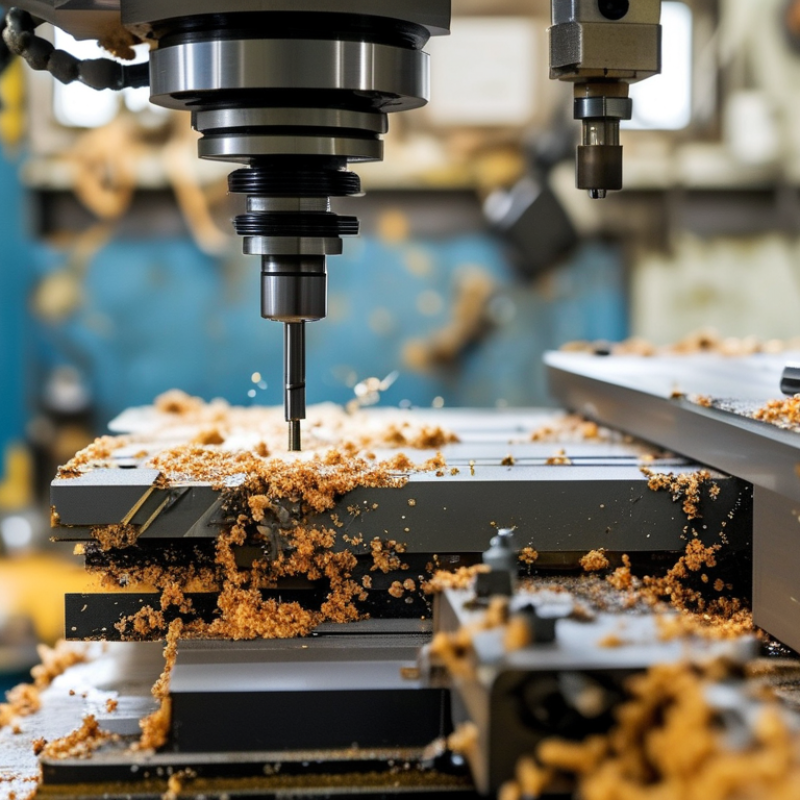
Losing steps in CNC machines can be frustrating. Understanding the causes is essential to effective troubleshooting. Step loss happens when the stepper motor fails to keep up with commands. This can stem from several factors, including mechanical resistance and settings issues.
Mechanical issues often play a significant role. Misalignment of rails and obstructed movement can hinder the machine. Checking for debris or worn-out parts is crucial. Additionally, incorrect acceleration and deceleration settings may lead to insufficient torque. Operators should review their configurations and adjust parameters accordingly.
Power supply is another factor. Insufficient voltage can prevent motors from functioning correctly. Ensure that the power supply matches the machine's requirements. Furthermore, environmental factors such as temperature and humidity may affect performance. Keeping the workspace stable can minimize step loss occurrences. Balancing between speed and precision is key.
Losing steps in CNC operations can disrupt projects and lead to frustration. Common causes include mechanical issues, poor calibration, and insufficient power supply. A misaligned axis or worn-out components can hinder movement, causing missed steps. If you notice inconsistent performance, inspect your machine for play and wear.
Another critical factor is the stepper motor's power. If it is underpowered, it may struggle to keep up with the required movements. Adjusting the motor's current settings can often resolve this issue. Also, ensure your software settings match the machine's capabilities. Sometimes, your digital commands may not sync with the mechanical actions.
Tips: Regularly clean and lubricate your equipment to maintain optimal performance. Monitor your machine's temperature; overheating can lead to step loss. Lastly, consider implementing a routine calibration schedule to ensure precision. Recognizing these factors can improve reliability and enhance the lifespan of your CNC machine.
Diagnosing step loss issues in CNC machinery can be a daunting task. Step loss occurs when the stepper motor fails to move the desired distance. This can lead to inaccuracies in machining. Many factors contribute to this problem. Addressing these issues early can save time and improve precision.
One common cause is speed and acceleration settings. If these are too high, the machine may not keep up with commands. It’s important to test various settings, adjusting them to find a balance. Another factor is mechanical resistance. A misaligned rail or a dirty lead screw can hinder performance. Lubricating these components regularly is essential for smooth operation.
Wiring problems can also lead to lost steps. Frayed wires or poor connections disrupt the signal to the motors. Regularly inspecting wiring can prevent these issues. Additionally, overheating motors can cause loss of steps. Ensure proper cooling and ventilation in the workspace. Addressing these potential problems requires critical thinking. Reflecting on past experiences can guide the troubleshooting process effectively.
Losing steps in CNC machines is a common issue many operators face. It's essential to understand the root causes to implement effective solutions. Research indicates that nearly 70% of CNC users experience step loss during operation. This can lead to costly errors and delays in production.
One primary cause of step loss is insufficient power supply. Ensuring that your stepper motors receive adequate voltage is crucial. According to industry reports, motors often require 12-80 volts to operate optimally. Verify that your power supply matches the motor specifications to prevent voltage drops. Regularly check wiring connections, as loose or damaged wires can lead to power fluctuation.
Another factor is mechanical resistance. A poorly aligned axis can hinder the movement of the machine, causing missed steps. Research shows that even slight misalignments of 0.1 mm can significantly affect precision. Regular maintenance and alignment checks are vital. Cleaning the rails and lubricating moving parts can also improve performance. Investing time in these simple solutions can save you a lot of money in the long run.
This chart illustrates the reasons for step loss in CNC machines, showing the frequency of incidents related to various causes. Understanding these factors can help in implementing effective solutions to prevent step loss.
CNC machines are complex systems that require regular maintenance for optimal performance. Regular checks prevent issues like losing steps. Start by inspecting the machine's mechanical components, such as the lead screws and bearings. Ensure they are clean and well-lubricated. Dust and debris can create friction, affecting accuracy and performance.
Calibration is also essential. Regularly verify the machine's settings to ensure they are within the desired specifications. Misalignment can lead to issues. Employ tools for precise measurements. Sometimes, users overlook the importance of environmental conditions. Temperature and humidity can affect the machine's electronics and mechanics. A stable workshop environment helps maintain performance.
Pay attention to the machine's software as well. Outdated firmware can lead to operational problems. Regular updates enhance functionality. Consider conducting periodic training sessions for operators. Familiarity with the machine's features can reduce errors. Frequent communication among team members can also highlight recurring issues, allowing for proactive solutions. Adapting a preventive mindset ensures longevity and efficiency.
| Cause of Step Loss | Description | Solution | Maintenance Frequency |
|---|---|---|---|
| Insufficient Power Supply | Low voltage can cause the motor to stall. | Check power supply; use a power conditioner. | Monthly |
| Mechanical Binding | Physical obstructions can hinder movement. | Inspect for debris and lubricate moving parts. | Weekly |
| Incorrect Stepper Motor Settings | Misconfigurations can lead to stalling. | Re-calibrate step settings in software. | Every job setup |
| Overheating | Excess heat from motors can cause failures. | Add cooling fans; ensure adequate ventilation. | Daily |
| Poor Software Configuration | Settings may not match hardware capabilities. | Update and optimize software settings. | Before major jobs |
: Step loss occurs when stepper motors fail to keep up with commands due to mechanical resistance and settings issues.
Misalignment of rails and obstructed movement can hinder machines. Cleaning and checking for worn-out parts is essential.
Insufficient voltage can prevent motors from functioning well. Ensure the power supply matches the machine's requirements for optimal performance.
Regular checks prevent step loss. Inspect and lubricate mechanical components to avoid friction that can affect performance.
Calibration should be done regularly to verify settings. Misalignment can lead to issues that affect precision and performance.
Temperature and humidity can impact performance. A stable workspace environment minimizes risks of step loss.
Outdated firmware can cause operational problems. Regular updates improve functionality and prevent issues during operation.
Overlooking mechanical maintenance and neglecting environmental conditions can lead to frequent step loss issues.
Frequent discussion among team members can identify recurring issues, leading to proactive solutions for machine performance.
Users often believe that high speed alone guarantees efficiency, but balancing speed and precision is crucial to avoid mistakes.
When addressing the question "why does my CNC machine keep losing steps," it is essential to understand the underlying mechanisms of step loss in CNC operations. Common causes include mechanical issues such as backlash, insufficient motor power, or incorrect acceleration settings. Diagnosing these issues involves a thorough inspection of both hardware and software components, ensuring that everything is calibrated correctly and in good working condition.
To prevent step loss effectively, implementing solutions such as upgrading stepper motors, optimizing power supply, and regularly maintaining the CNC machine can significantly enhance performance. Maintaining CNC machinery through routine checks and adjustments will not only optimize operation but also extend the machine's lifespan, ensuring precision and reliability in CNC tasks.

AcuTek CNC